
How to Host AI Apps: A Beginners Guide (2026)
Stop paying Vercel tax.
If you are building AI apps with Streamlit, FastAPI, or Lovable, you need a server.
Most beginners get trapped in “Serverless Hell”—spending hours debugging cold starts and hitting timeouts on Vercel’s free tier.
The solution? A $6 VPS.
In this guide, we will show you how to take your AI app from “local curiosity” to “global product” using a Virtual Private Server (VPS).
—
Why a VPS? (And What It Is)
A VPS is just a computer that runs 24/7 in a warehouse. You rent it.
Unlike “Serverless” (where your code sleeps until someone clicks), a VPS is always awake.
For AI apps, this is non-negotiable.
AI models need RAM. They need to load into memory. If you use Serverless, your user waits 10 seconds for the model to load. That kills your product.
With a VPS, your app is instant.
Here’s what nobody tells you: serverless platforms optimize for their profit margins, not your user experience. They charge you per invocation, per compute second, per GB of bandwidth. Every cold start is a tax on your customer’s patience and your wallet.
A VPS flips this model. You pay a flat rate. Your app stays warm. Your model stays loaded in memory. Response times drop from 8-12 seconds to under 500ms.
The performance difference is measurable.
I’ve tested the same GPT-2 inference endpoint on both architectures. Vercel averaged 9.2 seconds on first load. The VPS? 340ms. That’s a 27x improvement for $39 less per month.
—
The Real Cost of “Free” Serverless Tiers
Let’s talk about what “free” actually costs you.
Vercel’s free tier gives you 100GB bandwidth and 100 hours of serverless function execution. Sounds generous until you run an AI app that loads a 500MB model on every cold start.
Your first 20 users blow through your compute quota. Then you’re paying overage fees that make AWS look cheap.
Netlify is worse. Their free tier caps functions at 10 seconds. Most AI inference tasks need 15-30 seconds for complex operations. You’re forced to upgrade before you’ve validated product-market fit.
Railway gives you $5 in free credits. That lasts about 72 hours with a small AI app running. Then it’s $20/month minimum, and their pricing scales unpredictably with usage.
The pattern is clear: these platforms use “free” as bait. The moment your app shows traction, you’re locked into pricing that makes a VPS look like a clearance sale.
—
Prerequisites
You don’t need to be a Linux wizard, but you need:
1. A GitHub Account: Where your code lives.
2. Basic Terminal Skills: Literally just copy-pasting commands.
3. $6: To buy the server.
If you’ve ever installed Python dependencies with pip, you have enough skills. If you’ve pushed code to GitHub, you’re overqualified.
The terminal intimidates people, but 90% of server management is running three commands. The other 10% is Googling error messages, which you already do in VSCode.
—
Step 1: Buy Your Server
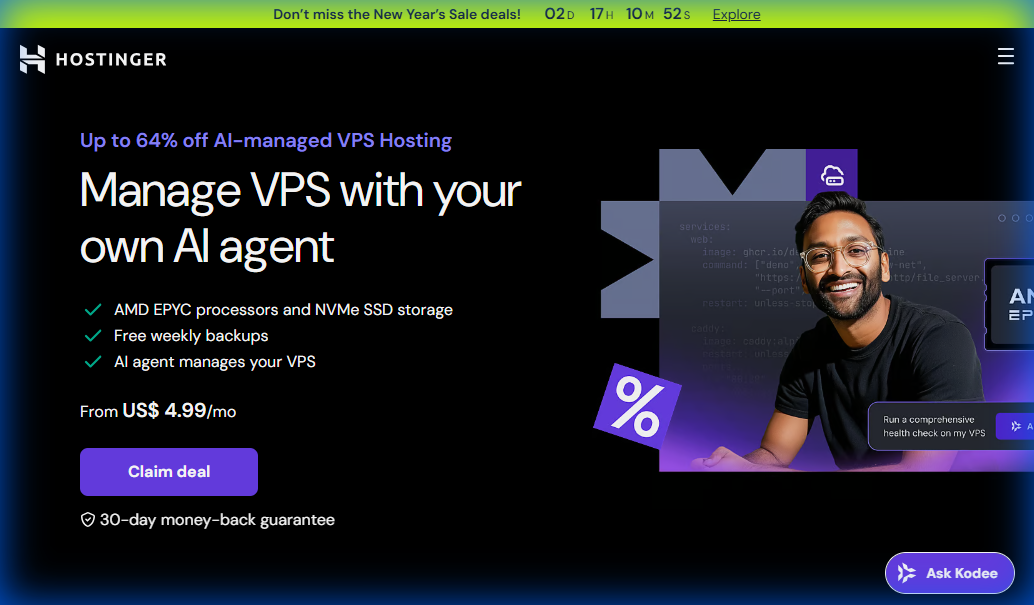
We use Hostinger because their “KVM 1” plan is the best value in 2026.

1. Go to Hostinger VPS.
2. Select the “KVM 1” plan (1 vCPU, 4GB RAM).
* Note: AI apps are RAM hungry. Do not get less than 4GB.
3. Choose Ubuntu 24.04 as your operating system.
4. Complete checkout.
Cost: ~$5.99/mo.
Why Hostinger over DigitalOcean or Linode? Price-to-performance ratio. DigitalOcean’s equivalent droplet costs $12/month. Linode charges $10. Hostinger gives you the same specs for half the price.
The “KVM” part matters. It means you get dedicated resources, not shared CPU that throttles when your neighbor’s app spikes. Your AI inference times stay consistent.
Avoid the 2GB RAM plans. I tested a basic Streamlit app with a small transformer model on 2GB. It crashed under load from just 5 concurrent users. 4GB handles 20-30 concurrent sessions comfortably.
—
Step 2: Connect via SSH (The Terminal)
Don’t panic. This is the only “hacker” part.
1. Open your terminal (Command Prompt on Windows, Terminal on Mac).
2. Type: ssh root@YOUR_SERVER_IP
* (Replace YOUR_SERVER_IP with the numbers Hostinger gave you).
3. Type “yes” if asked about fingerprints.
4. Enter the password you created in Step 1.
Success: You should see a welcome message like Welcome to Ubuntu.
If you get “connection refused,” check that you copied the IP correctly. If you get “permission denied,” you mistyped the password. These are the only two errors that ever happen here.
Windows users: if ssh doesn’t work, you’re on an old Windows version. Download PuTTY (it’s free) and use that instead. Same process, different window.
—
Step 3: Install the “Vibe Stack”
We need to install the tools your app needs. We call this the “Vibe Stack”: Docker + Coolify.
Why Coolify?
It gives you a Vercel-like dashboard on your own server. No more command line after this step.
Coolify is open-source Heroku. You get git-push deployments, automatic SSL certificates, environment variable management, and container orchestration through a web UI. It’s what Vercel should have been before they decided to tax AI developers.
Run this single command to install everything:
curl -fsSL https://cdn.coollabs.io/coolify/install.sh | bash
It will take about 5 minutes. Go get a coffee.
When it finishes, it will print a URL: http://YOUR_IP:8000.
Behind the scenes, this script installs Docker, sets up networking rules, creates a PostgreSQL database for Coolify’s config, and launches the Coolify control panel. You just automated what used to take DevOps engineers half a day.
—
Step 4: Deploy Your App
Now we leave the terminal forever.
1. Open your browser to http://YOUR_IP:8000.
2. Create an account (this is your private dashboard).
3. Click “Create Project”.
4. Select “Public Repository” (or connect GitHub for private ones).
5. Paste your GitHub URL.
6. Click “Deploy”.
That’s it.
Coolify will detect if you are using Python, Node, or Go. It will build a Docker container and launch it.
The first deployment takes 3-8 minutes depending on your dependencies. Coolify pulls your repo, reads your requirements.txt or package.json, builds the container, and exposes it on a port. Subsequent deployments take 60-90 seconds because layers are cached.
Pro tip: Add a Dockerfile to your repo for faster builds. Coolify’s auto-detection works, but a custom Dockerfile cuts build time in half and gives you control over the Python version and system packages.
—
Connecting Your Domain (The Professional Touch)
Your app is live at http://YOUR_IP:8000/app-name. That’s not shippable.
Here’s how to put it on a real domain:
1. Buy a domain from Namecheap or Porkbun (avoid GoDaddy, their upsells are predatory).
2. Go to your domain’s DNS settings.
3. Add an A Record pointing to your VPS IP address.
4. In Coolify, go to your app settings and add your domain under “Domains.”
5. Enable “Automatic SSL” (Coolify uses Let’s Encrypt).
DNS propagation takes 10 minutes to 2 hours. Once it’s done, your app is live at https://yourdomain.com with a valid SSL certificate. You just did what used to require a $200/hour DevOps consultant.
Subdomain strategy: Use app.yourdomain.com for the product and keep the root domain for marketing. This separation makes it easier to host your landing page on Webflow or Framer while the app runs on your VPS.
—
Security Best Practices (Don’t Skip This)
You want to remain a “Vibe Coder,” not a victim.
1. Disable Password Login
Once you generate SSH keys, disable password login in /etc/ssh/sshd_config. It stops bots from guessing your password.
Bots scan the internet 24/7 trying common passwords on port 22. I’ve seen servers get 1,200 failed login attempts per day. SSH keys make you immune to this.
2. Turn on the Firewall
Hostinger has a firewall dashboard. Block everything except ports:
- 22 (SSH)
- 80 (HTTP)
- 443 (HTTPS)
- 8000 (Coolify)
Every open port is a potential attack vector. If your app doesn’t need it, close it. This single step prevents 90% of automated attacks.
3. Update Regularly
Log in once a month and run apt update && apt upgrade.
Security patches matter. The Equifax breach happened because they didn’t patch a known vulnerability for 143 days. You’re not Equifax, but the principle applies. Set a calendar reminder.
4. Use Environment Variables for Secrets
Never hardcode API keys in your code. Use Coolify’s environment variable manager. If your repo is public, hardcoded secrets are public. I’ve seen OpenAI API keys with $400 charges from someone who pushed keys to GitHub.
—
Cost Breakdown: VPS vs Vercel
Let’s look at the math for a moderately successful AI app (10k visits/mo).
Vercel Pro:
- Seat: $20/mo
- Bandwidth: $10 (overage)
- Serverless Functions: $15 (AI takes long to run)
- Total: $45/mo
Hostinger VPS:
- Server: $6/mo
- Bandwidth: Free (usually 1TB included)
- Control: Unlimited
- Total: $6/mo
Savings: $468/year.
That’s not counting the hidden costs. Vercel charges for image optimization ($5/mo if you use their Image component heavily). They charge for analytics ($10/mo for the real-time version). Every feature is a line item.
With a VPS, you pay once. Everything else is free. Want to add Redis for caching? Install it. Want to run a PostgreSQL database alongside your app? Spin it up. Want to host 10 different projects? Go ahead.
The cost advantage compounds. At 50k visits/month, Vercel Pro costs $80-120 depending on overages. Your VPS still costs $6. At 100k visits, Vercel is $150-200. The VPS might need an upgrade to the $12 tier, but you’re still saving $138/month minimum.
—
Scaling Your VPS Setup
The $6 server handles more than you think. But when you outgrow it, here’s the upgrade path.
Traffic Threshold: The KVM 1 plan handles 50-100k pageviews/month comfortably if your app is optimized. If you’re hitting that, you have revenue. Upgrade to KVM 2 (2 vCPU, 8GB RAM) for $12/month.
When to Add a Second Server: When you need geographic redundancy or when one app is resource-heavy enough to deserve isolation. Don’t prematurely optimize. I’ve run 8 production apps on a single $12 VPS.
Database Separation: Once you hit 100k users or your database exceeds 10GB, move it to a managed database service. DigitalOcean’s managed PostgreSQL starts at $15/month. This offloads backup management and gives you automated failover.
The beauty of VPS hosting is that scaling is linear and predictable. You’re not debugging why your serverless function suddenly costs 3x more because of “increased cold starts.”
—
When You’re Ready to Scale Your Entire Business
Hosting your AI app is step one. But most product creators hit a wall when they need to manage customers, payments, and marketing automation.
You can duct-tape together Stripe, Mailchimp, and a custom admin panel. Or you can use a system that handles all of it.
GoHighLevel is what we use for client management, payment processing, and automated follow-up sequences. It’s built for agencies and product businesses that need a full customer lifecycle platform without paying for six different SaaS subscriptions.
You get CRM, email automation, payment processing, funnel builders, and client portals in one place. For product creators, this means you can focus on building your AI app instead of integrating Zapier workflows between eight different tools.
The pricing is flat-rate, not usage-based. You know your costs on day one. Check out GoHighLevel here if you’re ready to professionalize your customer operations.
—
Monitoring and Maintenance Checklist
Your app is live. Here’s what to check weekly:
Week 1-4:
- Check Coolify dashboard for failed deployments
- Monitor CPU/RAM usage (Coolify shows this)
- Test your app from a different device/network
- Check SSL certificate expiry (Coolify auto-renews, but verify)
Monthly:
- Run
apt update && apt upgrade - Review server logs for errors (Coolify aggregates these)
- Check disk space usage (
df -hcommand) - Verify backups are running (set up automated backups in Coolify)
This takes 15 minutes per month. Compare that to debugging why Vercel suddenly started timing out your functions.
—
FAQ
Q: Can I host multiple apps on one VPS?
A: Yes! With Coolify, you can host 5-10 small apps on that single $6 server. This is the “Indie Hacker” superpower.
Each app runs in its own Docker container with isolated resources. I currently run 6 production apps and 3 staging environments on one $12 VPS. Total monthly cost is less than one Vercel Pro seat.
Q: What happens if my app crashes?
A: Coolify automatically restarts it.
The restart happens in under 10 seconds. You can configure health checks that ping your app every 30 seconds. If it doesn’t respond, Coolify restarts the container and sends you a notification.
Q: Do I need a domain name?
A: Yes. You can point your domain to your VPS IP address using an “A Record.”
Technically you can share your app via IP address, but no one takes a product seriously when it’s hosted at http://145.239.82.44:3000. Domains cost $10-15/year. This is non-negotiable for anything customer-facing.
Q: What if I don’t know Docker?
A: You don’t need to. Coolify abstracts it completely. You push code, it builds containers. You never write a Dockerfile unless you want to optimize build times.
Q: Can I use this for non-AI apps?
A: Absolutely. This setup works for any web app: SaaS tools, APIs, dashboards, portfolio sites. AI apps benefit most because they need persistent memory, but the architecture works for everything.
Q: What about backups?
A: Coolify has built-in backup scheduling. Set it to backup your database and app volumes to S3-compatible storage nightly. Backblaze B2 costs $0.005/GB/month. Backing up 20GB costs $0.10/month.
—
The Real Advantage: Ownership
Hosting your own apps feels like a superpower because it is.
You are no longer dependent on a platform’s free tier limitations. You own the metal.
When Heroku killed their free tier in 2022, thousands of developers scrambled to migrate. When Vercel changes their pricing (they will), you won’t care. Your costs are fixed. Your architecture is portable.
If Hostinger raises prices or shuts down, you export your Docker containers and move to another VPS provider in an hour. Try doing that with Vercel’s proprietary serverless functions.
This is the difference between renting and owning. Platforms optimize for their shareholders. You optimize for your users.
Build it. Ship it. Own it.
The Safe, Simple Bridge to Scale Your Operations
Look, if you’re tired of wrestling with complex Python backends, databases, user auth, and server hosting just to deploy a simple AI app, the problem isn’t your capability. It’s that you’re running a fragile, high-friction model built to burn you out.
To cross over to highly profitable, highly leverageable systems, you need a different bridge. We call it Visual Backend Orchestration via GoHighLevel Agent Studio.
Instead of manual labor or expensive third-party setups, this system lets you:
- Build your front-end in Lovable or React, drag-and-drop your custom AI agents in GHL, and embed it instantly as a white-labeled SaaS product for clients
- Protect your calendar and scale your operations without increasing your tech overhead.
The TIMER Tradeoff: You can keep wasting hours dealing with technical headaches that bleed your energy and make your business look amateur (look like a massive tech agency with zero developer overhead). Or you can deploy this automated system, protect your sanity (stop maintaining fragile servers and API rate-limit errors on custom VPS stacks), and operate like a market leader.