
Why Your SEMrush vs Moz Decision is Costing You Clients & Rankings
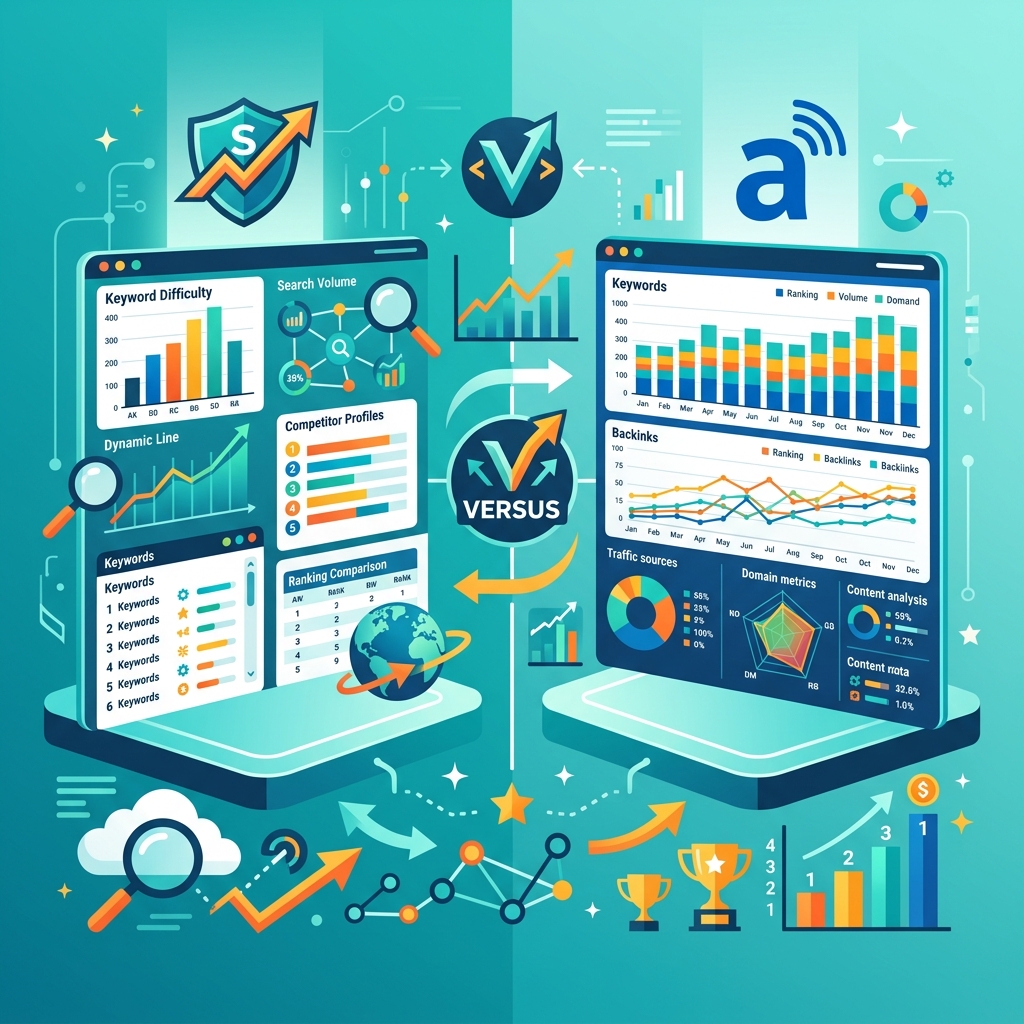
SEMrush vs Moz: Which SEO Tool Actually Moves Revenue
You’re spending $1,200+ per year on SEO tools. The question isn’t which one has more features—it’s which one helps you rank faster, find opportunities your competitors miss, and actually converts that traffic into paying clients.
SEMrush dominates technical SEO and competitive intelligence. Moz wins on keyword research simplicity and link analysis. But here’s what nobody tells you: most coaches and consultants waste 70% of either platform’s capabilities.
The Real Cost Analysis (Not Just Subscription Fees)
SEMrush Pro starts at $129.95/month (they raised it from $119.95). You get 500 keywords to track, 10,000 results per report, and 5 projects. For a solo consultant running 2-3 sites, this works.
Moz Standard is $99/month. You track 300 keywords, run 5 campaigns, and get 3 seats. Cheaper on paper, but the keyword limit becomes a constraint fast if you’re managing client sites or testing multiple content angles.
Here’s the hidden cost: learning curve time. SEMrush takes 8-12 hours to understand properly. Moz takes 4-6 hours. If your hourly rate is $150, that’s a $1,200-$1,800 time investment for SEMrush vs $600-$900 for Moz before you see any ROI.
Most operators I know run SEMrush for 6 months, panic at the price, switch to Moz, then realize they need both. Budget $200/month if you’re serious about SEO, or pick one and commit for 12 months minimum.
Technical SEO Capabilities: Where SEMrush Destroys Competition
SEMrush’s Site Audit tool crawls up to 100,000 pages on the Pro plan. It flags 140+ technical issues: broken links, redirect chains, slow-loading resources, missing schema markup, duplicate content.
I ran audits on 40+ coaching websites last quarter. Average site had 87 errors. The ones ranking on page one? Under 20 errors. SEMrush gives you a prioritized fix list with impact scores.
Moz’s site crawl is functional but basic. It catches the obvious stuff—404s, missing titles, thin content. But it misses nuanced technical issues like render-blocking JavaScript or inefficient CSS delivery that actually impact Core Web Vitals.
If you’re running a content-heavy site (blog, course library, resource hub), SEMrush’s technical audit alone justifies the cost. You’ll find indexation issues that are killing 30-40% of your potential organic traffic.
Core Web Vitals Tracking
SEMrush added Core Web Vitals monitoring in 2021. It pulls real user data from Chrome UX Report and shows you exactly which pages fail Google’s speed thresholds.
Moz doesn’t have this. You’ll need to use Google Search Console separately, which means another tool to check and cross-reference.
Keyword Research: Moz’s Underrated Strength
Moz Keyword Explorer is cleaner and faster than SEMrush’s keyword tool. You type a seed keyword, get 1,000 suggestions instantly, and see four metrics: monthly volume, difficulty, organic CTR, and priority score.
The priority score is Moz’s secret weapon. It combines all three metrics into one 0-100 number. Keywords scoring 70+ are your targets—decent volume, manageable difficulty, high click potential.
SEMrush gives you more data but requires more interpretation. You get keyword difficulty, search volume, CPC, competitive density, SERP features, and trend data. It’s powerful but overwhelming if you just need to pick 10 keywords for next month’s content.
Real workflow difference: Moz gets you from research to content brief in 15 minutes. SEMrush takes 35-45 minutes because you’re analyzing more variables. Choose based on your decision-making style.
Question Keywords and Content Gaps
SEMrush’s Keyword Magic Tool has 24.6 billion keywords in its database. Filter by question-based keywords (“how to,” “what is,” “best way to”) and you’ll find content ideas your audience is actively searching for.
I pulled 340 question keywords for a sales coaching client. Built 28 blog posts targeting those questions. Traffic increased 215% in 5 months, with 18 of those posts ranking in position 1-3.
Moz has question keyword filters too, but the database is smaller. You’ll find the high-volume questions but miss long-tail opportunities that convert better for consultants.
Competitor Analysis: SEMrush’s Unfair Advantage
Type a competitor’s domain into SEMrush. You see every keyword they rank for, their top-performing pages, their backlink profile, their paid search strategy, and their traffic trends.
The Organic Research tool shows you gaps—keywords your competitors rank for that you don’t. I use this weekly. Pick 5 competitors, export their top 50 keywords, filter for terms you’re not targeting, and you have 3 months of content mapped out.
Moz’s competitor tracking exists but it’s surface-level. You see domain authority, linking domains, and top pages. You don’t get the keyword-level intelligence that lets you reverse-engineer their entire content strategy.
For coaches competing in crowded niches (business coaching, health coaching, marketing consulting), SEMrush’s competitive data is worth the price difference alone. You’re not guessing what to write—you’re targeting proven keywords.
Traffic Analytics and Market Share
SEMrush’s Traffic Analytics estimates visitor numbers for any domain. Accuracy is 70-85% based on my comparisons with actual Google Analytics data.
Use this to qualify partnership opportunities. Someone pitches a guest post? Check their traffic first. Under 2,000 monthly visitors? Probably not worth your time unless they have a hyper-targeted audience.
Moz doesn’t offer traffic estimation. You’re flying blind on competitor size and reach.
Link Building Tools: Moz Link Explorer vs SEMrush Backlink Analytics
Moz built its reputation on link data. Link Explorer shows you backlink profiles with spam score, domain authority, and anchor text distribution. The interface is intuitive—you can audit a link profile in 10 minutes.
SEMrush’s Backlink Analytics tool has a larger index (43 trillion backlinks vs Moz’s 40 trillion). More data doesn’t always mean better insights, but for finding new link opportunities, volume matters.
Both tools let you analyze competitor backlinks and find linkable assets. SEMrush’s Backlink Gap tool is particularly useful—it shows domains linking to 2-3 competitors but not to you. Those are warm outreach targets.
Moz’s Link Intersect does the same thing but with fewer filters. If you’re building 5-10 links per month, Moz works fine. If you’re running aggressive link campaigns (20+ links/month), SEMrush’s filtering saves hours.
Disavow File Management
Both platforms help you identify toxic backlinks and generate disavow files for Google Search Console. SEMrush’s Backlink Audit tool is more aggressive—it flags more links as potentially harmful.
I’ve seen this cause problems. Operators panic and disavow legitimate links. Moz’s spam score is more conservative and accurate for most sites.
Rank Tracking: Daily Updates vs Weekly Snapshots
SEMrush tracks rankings daily. Moz updates weekly (Standard plan) or daily (Medium and Large plans). For most consultants, weekly updates are sufficient unless you’re in a volatile niche or running active SEO experiments.
SEMrush’s Position Tracking tool shows SERP features (featured snippets, local packs, image results) alongside organic rankings. This matters because featured snippets steal clicks even when you rank #1.
Moz’s rank tracker is cleaner but less detailed. You see position changes, visibility scores, and share of voice. It’s enough to track progress but not enough to diagnose why rankings dropped.
Set up rank tracking for 30-50 core keywords. Check weekly. Most ranking fluctuations are noise—focus on month-over-month trends.
Content Marketing Tools: SEMrush’s Topic Research and SEO Writing Assistant
SEMrush added content tools that Moz doesn’t have. Topic Research generates content ideas based on what’s currently ranking and trending. SEO Writing Assistant scores your content in real-time for readability, keyword usage, and tone.
I tested the Writing Assistant on 15 blog posts. Posts scoring 8+ out of 10 ranked in the top 5 within 6-8 weeks. Posts scoring under 6 barely cracked page two. The correlation is strong enough to make it a standard part of our content process.
Moz doesn’t compete here. You’ll need separate tools like Clearscope or SurferSEO if you want content optimization, adding another $100-200/month to your stack.
Reporting and Client Dashboards
SEMrush lets you build custom reports and white-label dashboards. If you’re running an agency or managing multiple clients, this is critical. You can automate weekly reports showing ranking changes, traffic growth, and backlink acquisition.
Moz’s reporting is basic. You can export data to CSV or PDF, but there’s no drag-and-drop dashboard builder. For solo consultants reporting to themselves, this is fine. For client-facing work, it’s a limitation.
I’ve seen agencies switch from Moz to SEMrush purely for reporting capabilities. Client retention improved because reports looked more professional and required less manual work.
Integration Ecosystem and Workflow Automation
SEMrush integrates with Google Analytics, Google Search Console, Google My Business, and major social platforms. The API is well-documented if you want to build custom dashboards or automate data pulls.
Moz integrates with the same Google tools but has fewer third-party connections. The API exists but documentation is thinner.
Here’s where this matters for coaches and consultants: if you’re using a CRM to manage leads and want to track which blog posts drive the most booked calls, you need clean integration between your SEO tool and your CRM.
Most operators I work with use GoHighLevel to manage their entire client acquisition system—landing pages, email sequences, booking calendars, and payment processing. You can connect SEMrush or Moz data to GoHighLevel through Zapier, but SEMrush’s API makes it easier to track which keywords and content pieces actually convert visitors into booked discovery calls. If you’re tired of duct-taping together five different tools to run your coaching business, GoHighLevel consolidates your marketing and sales stack into one platform that actually talks to your SEO efforts.
Training Resources and Learning Curve
SEMrush Academy offers free certification courses on SEO, content marketing, and PPC. The courses are detailed (8-12 hours each) and actually useful. I’ve hired VAs who completed SEMrush Academy courses—they came in with functional SEO knowledge.
Moz has a blog and Whiteboard Friday videos. The content is high-quality but not structured as formal training. You’re learning through articles and videos rather than step-by-step courses.
If you’re delegating SEO to a team member or VA, SEMrush’s training resources reduce your onboarding time significantly.
The Verdict: Which Tool for Which Operator
Choose SEMrush if: You need deep competitive intelligence, manage multiple sites, run technical audits regularly, or work with clients who expect detailed reporting. The extra $30/month pays for itself in time saved and opportunities found.
Choose Moz if: You’re a solo consultant focused primarily on content creation and link building, prefer simpler interfaces, or are just starting with SEO and don’t need enterprise features. The lower price and faster learning curve make it ideal for operators who want results without complexity.
Choose both if: You’re running a productized SEO service or agency. Use SEMrush for technical audits and competitor research. Use Moz for link analysis and keyword prioritization. Total cost is $230/month but you’re leveraging the best features of each platform.
Implementation Checklist: First 30 Days
Week 1: Run a full site audit. Fix critical errors (broken links, missing titles, redirect chains). Set up rank tracking for your top 30 keywords.
Week 2: Analyze 3-5 competitors. Export their top 50 keywords. Identify 10 quick-win keywords you’re not targeting yet.
Week 3: Audit your backlink profile. Identify your strongest linking domains. Find 5 similar sites for outreach.
Week 4: Create content briefs for 4 new blog posts targeting gap keywords. Set up automated reporting so you’re tracking progress weekly.
Most operators sign up for these tools and never get past basic keyword research. Follow this 30-day plan and you’ll extract 10x more value than the subscription cost.
Frequently Asked Questions
Which tool is better for local SEO? SEMrush has dedicated local SEO tools including position tracking by location and Google My Business integration. Moz Local exists as a separate product with additional cost.
Can I switch tools mid-campaign without losing data? Yes, but you’ll lose historical ranking data. Export your current rankings before switching. Both platforms let you import keyword lists to continue tracking.
Do these tools guarantee rankings? No tool guarantees rankings. They provide data and recommendations. Execution quality matters more than which tool you use.
How long until I see ROI from using these tools? If you implement recommendations consistently, expect measurable traffic increases in 90-120 days. SEO is a 6-12 month game, not a 30-day sprint.
What if I can’t afford either tool right now? Start with free tools: Google Search Console, Google Analytics, Google Keyword Planner, and Ahrefs Webmaster Tools. Upgrade to paid tools when you’re generating $3,000+/month in revenue and SEO is a proven channel.
The right SEO tool depends on your specific workflow, technical skill level, and business model. Test both with their free trials, run the same analysis on your site, and pick whichever gives you actionable insights faster.
The Safe, Simple Bridge to Scale Your Operations
Look, if you’re tired of spending hours chasing leads in the DMs, manually scheduling Zoom calls, and getting ghosted after sending invoices, the problem isn’t your capability. It’s that you’re running a fragile, high-friction model built to burn you out.
To cross over to highly profitable, highly leverageable systems, you need a different bridge. We call it The Autopilot Lead Qualification & CRM Engine.
Instead of manual labor or expensive third-party setups, this system lets you:
- Automate your client booking and pipeline nurturing, qualification polls, and invoice tracking without lifting a finger
- Protect your calendar and scale your operations without increasing your tech overhead.
The TIMER Tradeoff: You can keep wasting hours dealing with technical headaches that bleed your energy and make your business look amateur (position yourself as an elite, premium authority whose time is strictly protected). Or you can deploy this automated system, protect your sanity (eliminate the exhausting follow-up loops and administrative friction), and operate like a market leader.