
Website Basics: Hosting, Builders & Sales Funnels Demystified

Building Your Online Presence
Want to understand the fundamentals of creating a website?
Maybe you’ve seen businesses thriving online and want to join their ranks. Or perhaps you simply need to understand the technical terms that keep popping up whenever you research building a website.
Regardless – understanding website basics is crucial for anyone looking to establish an online presence!
In this post, I’ll walk you through everything you need to know about web hosting, website builders, and sales funnels step by step. I’ll provide you with clear explanations and actionable advice so you can follow along, no matter what your experience level.
So, if you’re ready to learn the website basics that will form your digital foundation – let’s get started!
4 common questions about website creation
As you prepare to embark on the process of building your online presence, you probably have a few questions bouncing around your head.
Don’t worry – that’s normal!
In fact, there are some common questions that almost everyone asks when learning about website basics, which is why I’m going to give you the answers upfront so that you know exactly what to expect!
Do I need to be tech-savvy to create a website?
Absolutely not! While professional web development requires technical skills, today’s website builders and content management systems make it possible for complete beginners to create impressive websites. You just need to be comfortable using a computer and following instructions.
Is it expensive to create a professional website?
It depends on your needs, but you can create a quality website for less than $150 for the entire first year. Web hosting typically costs $3-15 per month, a domain name costs about $10-15 per year, and many website builders offer free or affordable plans under $30/month.
Can’t I just use a free website builder?
Free website builders are OK for hobby sites or testing ideas. But you’ll face limitations in functionality, design options, and often have to display the platform’s branding.
For a professional website, a paid solution gives you more control, better features, and projects a more professional image.
How long does it take to create a website?
With modern website builders, you can have a basic website up and running in a single afternoon.
However, creating content, perfecting your design, and implementing marketing features like sales funnels will take additional time – anywhere from a few days to a few weeks depending on complexity.
What is web hosting and why does it matter?
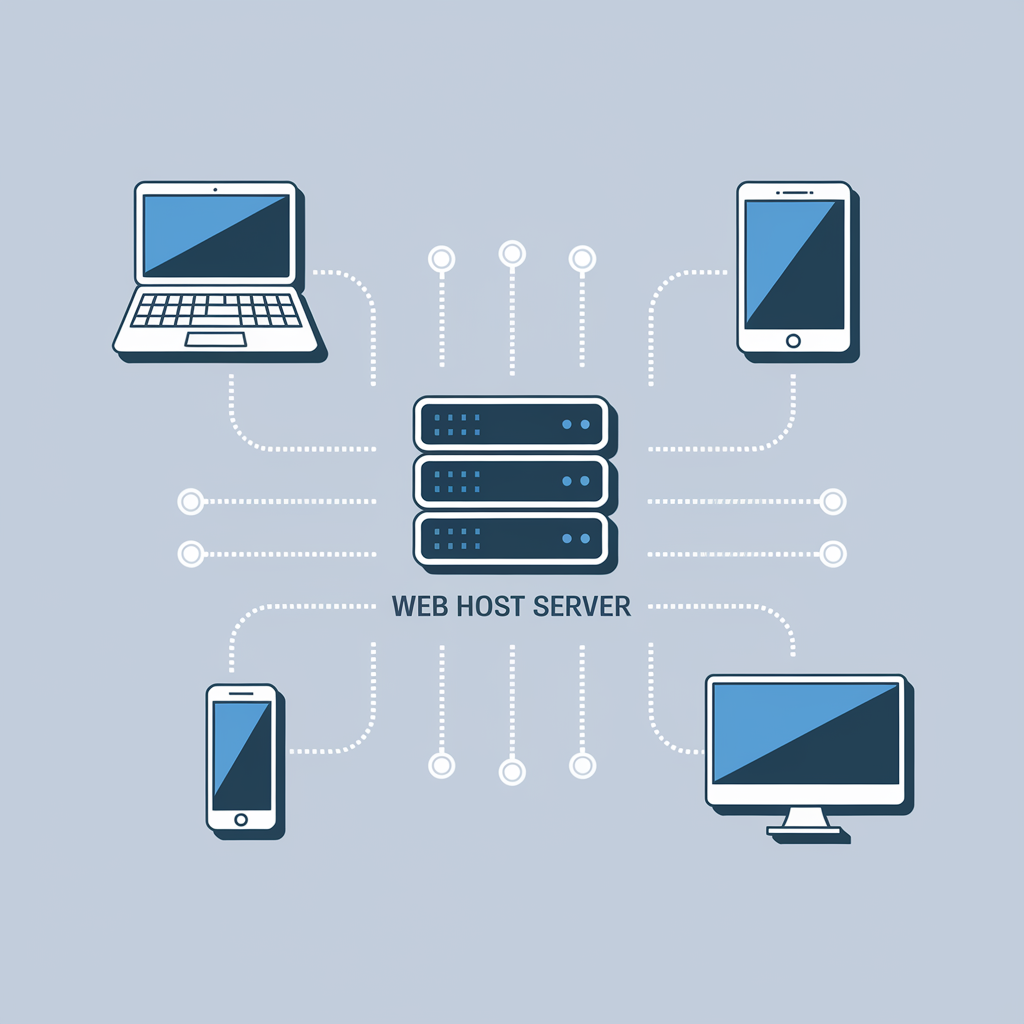
Think of web hosting as the digital real estate where your website lives. It’s a service that allows you to publish your website on the internet so people can actually find and visit it.
Here’s what you need to know about web hosting:
How web hosting works
When someone types your website address into their browser, they’re connected to your web hosting server, which delivers your website files to their device. Without web hosting, you’d have nowhere to store these files, and nobody could access your website.
As Ricky Johnson from Domain.com explains, “Web hosting is like renting space on a powerful computer (server) that’s always connected to the internet. When you upload your website files to this space, anyone can access your site 24/7.”
Types of web hosting
Not all hosting is created equal. Different websites have different needs:
- Shared hosting: The most affordable option ($3-10/month) where multiple websites share the same server resources. Perfect for beginners and small websites.
- VPS (Virtual Private Server): A step up from shared hosting ($20-50/month), offering dedicated resources that won’t be affected by other websites. Good for growing sites with moderate traffic.
- Dedicated hosting: The premium option ($80-500/month) where you get an entire server to yourself. Ideal for large websites with high traffic volumes.
- Cloud hosting: A flexible option ($20-200/month) that draws resources from multiple servers, offering excellent reliability and scalability.
For most beginners creating their first website, shared hosting provides the perfect balance of affordability and functionality.
What to look for in a web host
When choosing a web hosting provider, consider these key factors:
- Uptime guarantee: Look for 99.9% or better to ensure your site stays online
- Page load speed: Faster hosting means better user experience and SEO performance
- Customer support: 24/7 support via live chat, phone, or email is essential
- Security features: SSL certificates, malware scanning, and regular backups
- Scalability: The ability to upgrade as your website grows
Website builders explained: The easy path to your online presence
Website builders have revolutionized the process of creating websites, making it possible for anyone to build a professional-looking site without coding knowledge.
They’re the perfect solution if you’re looking to get online quickly and with minimal technical hassle.
What are website builders?
Website builders are online platforms that provide intuitive drag-and-drop interfaces for creating websites. They include pre-designed templates, customization options, and built-in hosting, essentially providing an all-in-one solution for your website needs.
According to a 2023 WebFX survey, 68% of small business websites are now built using website builders rather than custom code – showing just how mainstream these tools have become.
Popular website builders compared
There are several excellent website builders to choose from, each with its own strengths:
- Wix: Best for creative flexibility and design freedom
- Price: $16-45/month
- Pros: 800+ templates, highly customizable
- Cons: Can’t switch templates after site creation
- Squarespace: Best for beautiful, visual designs
- Price: $16-49/month
- Pros: Stunning templates, excellent for portfolios and visual businesses
- Cons: Slightly steeper learning curve
- Shopify: Best for e-commerce websites
- Price: $29-299/month
- Pros: Powerful selling tools, excellent inventory management
- Cons: Transaction fees unless using Shopify Payments
- Webflow: Best for designer-quality sites without coding
- Price: $14-39/month (plus hosting fees)
- Pros: Advanced design capabilities, clean code output
- Cons: More complex interface, steeper learning curve
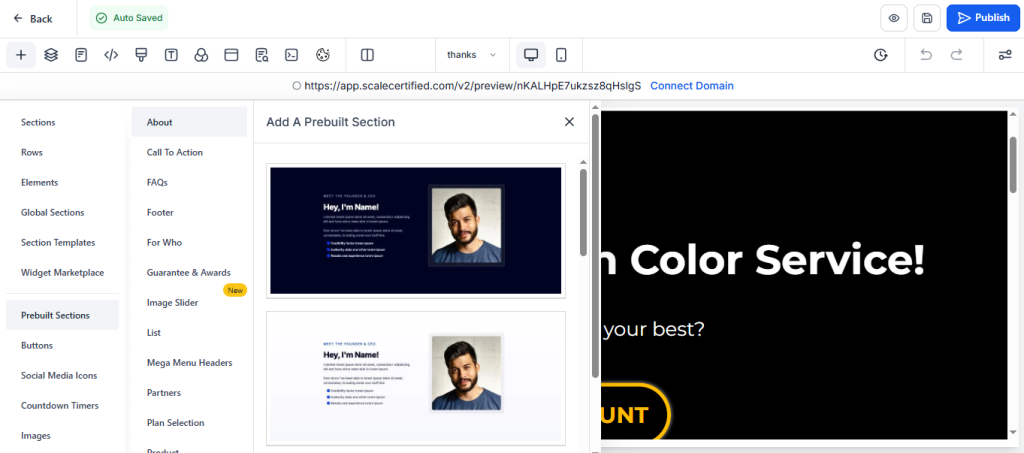
- GHL (Go High Level): Best for sales funnels and running advanced automations for coaches, digital products, physical products, and local service-based businesses
- Price: $97-497/month
- pros: run your whole business with one platform – build websites, landing pages, take payments, provide estimates, invoices, email, SMS and other advanced automation
- Cons: steeper learning curve
Benefits of using a website builder
Website builders offer significant advantages for non-technical users:
- No coding required: Create professional websites with simple visual editing
- All-in-one solution: Hosting, domain connection, and building tools in one place
- Professional templates: Start with designs created by professional web designers
- Time efficiency: Launch your website in days instead of weeks or months
- Built-in mobile optimization: Automatically adapts your site for mobile devices
WordPress vs. website builders: Which is right for you?
While website builders offer simplicity, WordPress powers more than 43% of all websites on the internet. Understanding the difference between these approaches is crucial when deciding how to build your website.
What is WordPress?
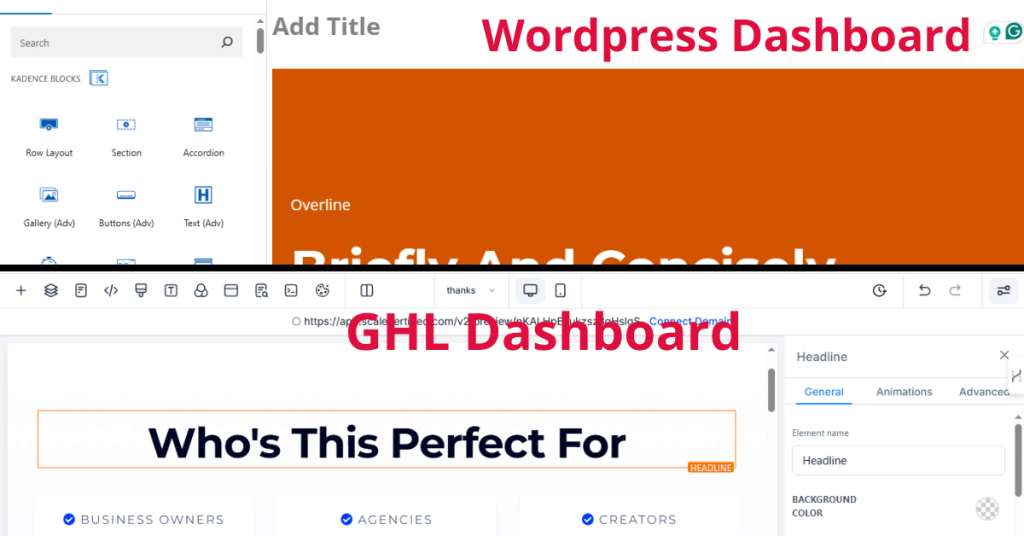
WordPress is a content management system (CMS) that offers more flexibility and customization than typical website builders. There are two versions:
- WordPress.org: The self-hosted version that requires separate web hosting but gives you complete control over your site.
- WordPress.com: A hosted service similar to website builders, with varying levels of customization depending on your plan.
WordPress.org (self-hosted) is the more powerful option and what most professionals recommend.
When to choose WordPress over a website builder
WordPress might be right for you if:
- You need extensive customization options
- You’re building a blog with complex content management needs
- You want access to thousands of plugins for added functionality
- You anticipate needing to scale your website significantly in the future
- You want complete ownership and control of your website
As Sarah Thompson from WPBeginner explains, “WordPress has a slightly steeper learning curve than website builders, but the tradeoff is near-unlimited flexibility. You can create virtually any type of website with WordPress.”
When to choose a website builder over WordPress
A website builder might be better if:
- You want the fastest, simplest route to getting online
- You have zero technical knowledge and don’t want to learn
- You need a basic website with standard features
- You prefer an all-in-one solution with bundled hosting
- You want minimal maintenance responsibilities
Landing pages: Your digital storefront
Landing pages are specialized web pages designed with a single focus: converting visitors into leads or customers. They’re essential components of effective online marketing strategies.
What is a landing page?
A landing page is a standalone web page created specifically for a marketing or advertising campaign. It’s where a visitor “lands” after clicking on a link in an email, ad, or other digital location.
Unlike regular website pages with multiple goals, landing pages are focused on a single call to action (CTA), whether that’s signing up for a newsletter, downloading a resource, or making a purchase.
Why landing pages matter
Landing pages dramatically improve conversion rates. According to a HubSpot study, businesses with 10-15 landing pages increase leads by 55% compared to those with fewer than 10 landing pages.
The focused nature of landing pages offers several benefits:
- Higher conversion rates: By removing distractions and focusing on a single action
- Better ad performance: Improved quality scores and lower costs for paid ads
- Targeted messaging: Ability to customize content for specific audience segments
- Easier analytics: Clearer tracking of campaign performance
- Increased lead capture: More effective collection of visitor information
Elements of an effective landing page
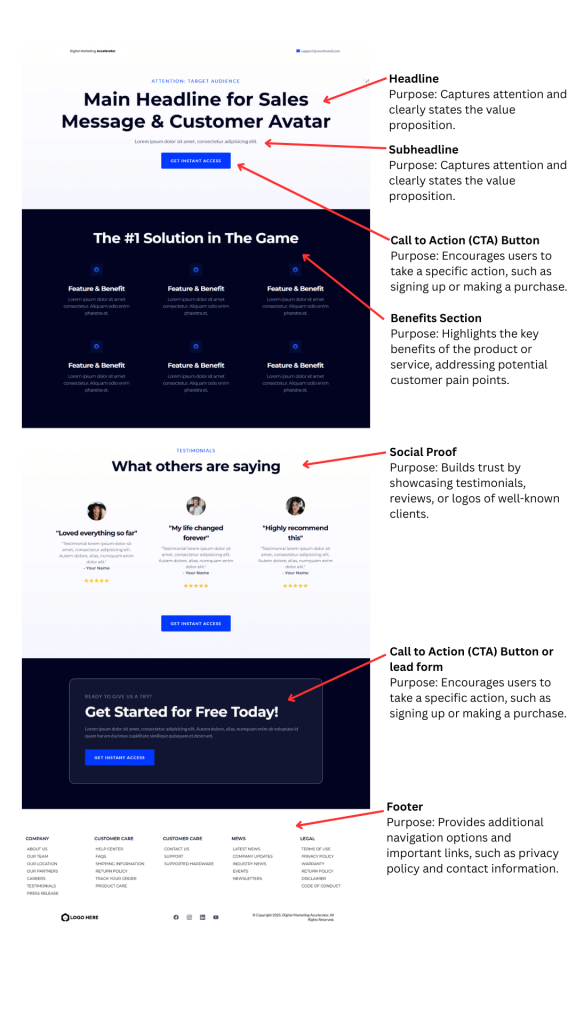
A high-converting landing page typically includes:
- Compelling headline: Clearly communicates your value proposition
- Engaging subheadline: Supports the main headline with additional context
- Persuasive copy: Focuses on benefits, not just features
- Strong visuals: Relevant images or videos that support your message
- Social proof: Testimonials, reviews, or client logos
- Single call-to-action: Clear direction on what you want visitors to do
- Lead capture form: Simple form that collects necessary information
For inspiration, check out these landing page examples from Unbounce that demonstrate effective design principles.
Sales funnels explained: Converting visitors into customers
If you’ve spent any time researching online marketing, you’ve probably encountered the term “sales funnel.” Understanding this concept is crucial for turning website visitors into paying customers.
What is a sales funnel?
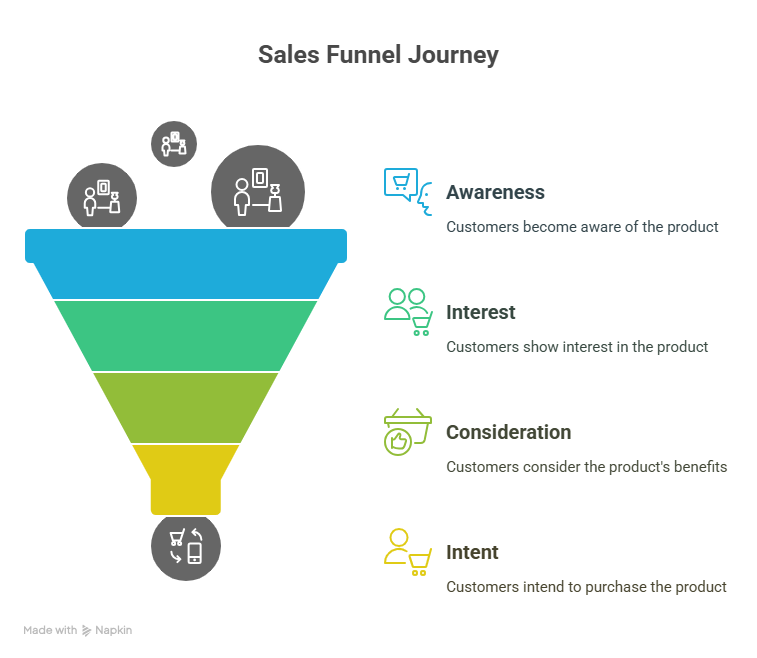
A sales funnel is a visual representation of the customer journey, from the moment they first become aware of your business to the point of purchase and beyond.
It’s called a “funnel” because, like a physical funnel, it’s wider at the top (more people) and narrower at the bottom (fewer people who actually purchase).
According to research from Amplitude, businesses that actively manage their sales funnels see 2.5x higher conversion rates than those that don’t.
The four stages of a basic sales funnel
- Awareness: The prospect discovers your business through marketing, search, social media, or word of mouth.
- Interest: The prospect shows interest by following you on social media, subscribing to your email list, or browsing your website.
- Decision: The prospect evaluates your offering, compares options, and considers making a purchase.
- Action: The prospect becomes a customer by completing the desired action (making a purchase, signing up, etc.).
Some marketers add a fifth stage – Retention – focusing on keeping customers and encouraging repeat business.
Building an effective sales funnel
Creating a functional sales funnel involves connecting multiple components:
- Traffic sources: Ways to attract potential customers (SEO, social media, paid ads)
- Landing pages: Targeted pages designed to capture leads or make sales
- Lead magnets: Valuable free content offered in exchange for contact information
- Email sequences: Automated emails that nurture leads toward a purchase
- Offers: Your products or services presented at the right time
- Upsells/Cross-sells: Additional offers to increase customer value
Mark Johnson, conversion expert at LeadGenius, notes, “The most successful funnels address customer needs at each stage. Provide value before asking for the sale, and you’ll see dramatically better results.”
Tools for building sales funnels
You don’t need to be a technical expert to create effective sales funnels. These tools make it manageable:
- ClickFunnels: All-in-one funnel builder with templates and hosting
- Leadpages: Focused on landing page and lead generation
- Kartra: Complete system for pages, emails, forms, and checkout
- ConvertKit: Email marketing platform with visual automation builder
- WordPress + plugins: Combinations like Elementor + WooCommerce + Mailchimp
- GHL: GoHighLevel is an all-in-one sales and marketing platform
GoHighLevel Website Builder: The All-in-One Solution
GoHighLevel offers one of the most comprehensive website and landing page building tools available, especially for businesses looking to integrate their online presence with marketing automation and CRM functionality.
Let’s explore what makes it stand out from other website builders.
Website and Landing Page Builder Features
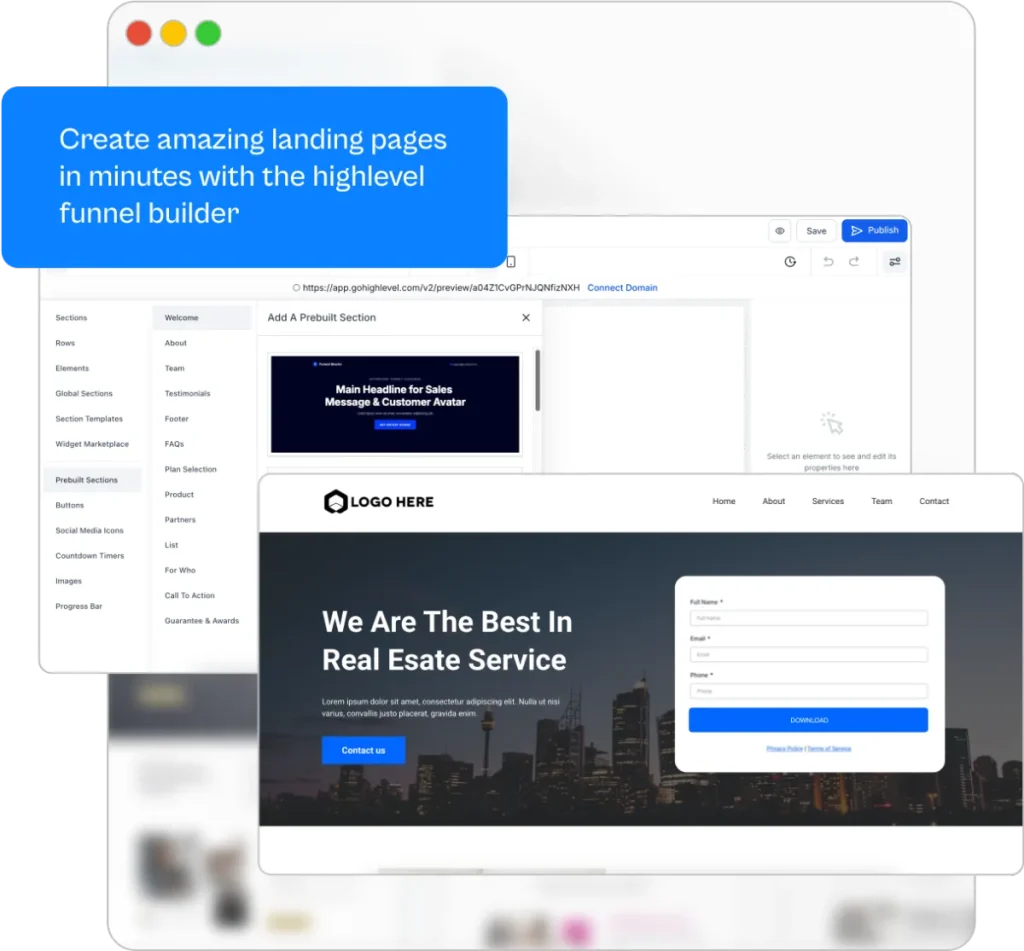
GoHighLevel’s site builder gives you unprecedented flexibility with the ability to create unlimited websites, landing pages, funnels, and blogs through an intuitive drag-and-drop interface.
Unlike many competing platforms that impose limits on the number of sites you can create, GHL allows you to build as many digital properties as your business needs.
The site builder includes:
- Pre-designed templates: Choose from hundreds of professional templates across various business niches including beauty and wellness, financial services, coaching, real estate, and more.
- Drag-and-drop editor: Easily customize any template by adding, removing, or rearranging elements with simple clicks.
- Mobile responsiveness: All pages automatically adapt to different screen sizes with dedicated mobile editing options.
- Form builder integration: Create lead capture forms, surveys, and questionnaires directly within your pages.
- Chat widget: Add live chat or automated messaging to engage visitors instantly.
- A/B testing: For funnel pages, test different variations to optimize conversion rates.
- eCommerce capabilities: For websites, add product listings and checkout functionality.
What sets GoHighLevel’s site builder apart is how seamlessly it integrates with the platform’s other features.
Every form submission, appointment booking, or chat interaction automatically feeds into your CRM, triggering your marketing automation workflows without requiring additional setup or integration.
The Bigger GoHighLevel Ecosystem
While the website and landing page builder is powerful on its own, it’s part of a comprehensive marketing platform that includes:
- Customer Relationship Management (CRM): Track leads and manage customer relationships with unlimited contacts and custom fields.
- Marketing automation: Create visual workflows that trigger actions across multiple channels based on customer behavior.
- Communication tools: Send emails, SMS messages, and manage social media from one platform.
- Appointment scheduling: Allow clients to book appointments directly on your website with calendar integration.
- Reputation management: Automatically request and respond to customer reviews.
- Course and membership sites: Create and monetize digital products and online communities.
- AI-powered features: Generate content, improve workflows, and automate conversations with built-in AI tools.
For agencies and marketing professionals, GHL also offers white-labeling capabilities, allowing you to rebrand the platform as your own solution and create recurring revenue streams by selling it to clients.
The integration between the website builder and these additional features means your entire marketing funnel operates as a cohesive system rather than disconnected tools requiring complex integrations.
This all-in-one approach not only simplifies your tech stack but also provides clearer insights into the performance of your marketing efforts from initial website visit to final conversion.
Also with GHL they host everything for you so all you need to do is buy a domain to setup with them. They also offer WordPress hosting too if you want to have a blog with them.
Putting it all together: Building your complete online platform
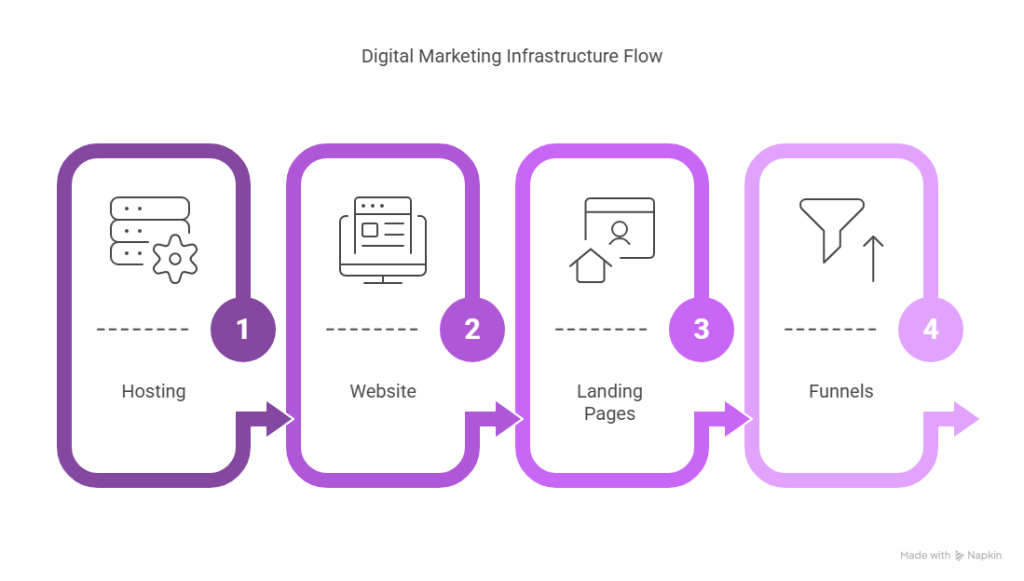
Now that we’ve covered the essential website basics – hosting, website builders, landing pages, and sales funnels – it’s time to put everything together into a cohesive strategy.
Step 1: Start with solid hosting fundamentals
Your website’s performance and reliability begin with good hosting:
- Choose a reputable hosting provider (Bluehost, SiteGround, DreamHost)
- Select the appropriate hosting type for your needs (shared, VPS, dedicated)
- Register a domain name that’s memorable and relevant to your business
- Set up SSL certification for security (often included free with hosting)
Pro tip: Choose a host that offers a one-click installation of your preferred website platform, whether that’s WordPress or another system.
Step 2: Build your website foundation
With hosting in place, it’s time to create your core website:
- Select the right platform (WordPress, GoHighLevel, or another website builder) based on your needs
- Choose a mobile-responsive theme or template that aligns with your brand
- Create essential pages (Home, About, Services/Products, Contact)
- Set up navigation that makes it easy for visitors to find what they need
- Implement basic SEO best practices (meta titles, descriptions, proper heading structure)
Step 3: Develop targeted landing pages
Now, enhance your website with purpose-built conversion points:
- Identify key products, services, or offers that deserve dedicated landing pages
- Create landing pages with clear value propositions and calls-to-action
- Remove distractions by limiting navigation options on landing pages
- Add compelling visuals and social proof elements
- Implement forms to capture visitor information
Step 4: Design your sales funnel
Connect the components of your online presence into effective funnels:
- Map out the customer journey for each of your main offerings
- Create relevant content for each stage of the funnel
- Set up lead magnets and opt-in forms to capture email addresses
- Develop email sequences that nurture prospects toward conversion
- Implement analytics to track performance and identify improvements
Step 5: Launch, analyze, and optimize
Your website is never truly “finished” – it should continuously evolve:
- Launch your website and initial funnel
- Implement Google Analytics and goal tracking
- Review performance data to identify weak points
- A/B test key elements (headlines, images, CTA buttons)
- Make data-driven improvements to increase conversions
According to a 2023 study by Amplitude, companies that regularly optimize their funnels see an average 25% increase in conversion rates each quarter compared to those that set and forget their online presence.
Conclusion: Your online foundation is just the beginning
You’ve now learned the website basics that will help you build a strong online foundation. From understanding web hosting to creating effective landing pages and sales funnels, you have the knowledge to begin your online journey with confidence.
Remember that your website isn’t just a digital brochure – it’s a powerful marketing tool that can actively generate leads and sales for your business 24/7.
The most successful websites evolve over time, improving based on user feedback and performance data. Start with these fundamentals, but commit to continuous learning and optimization.
Ready to take your website to the next level? Consider exploring comprehensive platforms like GoHighLevel that combine website building with marketing automation and CRM functionality.
This integrated approach can save you time and create a more cohesive customer experience from first click to final conversion.
And if you’re still uncertain about any aspect of website creation, remember that the internet is full of resources to help you succeed. Take it one step at a time, and before you know it, you’ll have a website that not only looks great but actively works to grow your business.
FAQ: Common questions about website basics
How much does a complete website cost?
The cost varies widely depending on your needs. A basic website using a website builder might cost $150-300 per year (including hosting and domain).
A custom-designed WordPress site could cost $1,000-5,000 for initial development, plus $200-500 annually for hosting, maintenance, and updates. All-in-one platforms like GoHighLevel start at around $97/month but include CRM and marketing automation tools.
Do I need to update my website regularly?
Yes, regular updates are essential for security, functionality, and keeping your content fresh. At a minimum, you should update your website platform and plugins monthly, add new content quarterly, and review your design annually.
Can I build my website myself, or should I hire a professional?
With modern website builders and WordPress, many people can create their own quality websites. Consider building it yourself if you have the time to learn and your needs are relatively simple.
Hire a professional if you need complex functionality, have specific design requirements, or if your time is better spent on other aspects of your business.
How do I get my website to appear in Google search results?
To appear in Google search results, you need to:
- Ensure Google can access your site (proper technical setup)
- Create valuable content that targets relevant keywords
- Build credibility through backlinks from other websites
- Provide a good user experience (fast loading, mobile-friendly)
- Register your site with Google Search Console
This process, called search engine optimization (SEO), is an ongoing effort that yields results over time.
What’s the difference between a landing page and a regular webpage?
A regular webpage typically has multiple goals and contains navigation to other parts of your site.
A landing page is focused on a single conversion goal with minimal distractions and typically doesn’t include standard site navigation.
Landing pages are optimized specifically for converting visitors from a particular source, like an email campaign or ad.
How do I know if my website is successful?
Measure your website’s success against your specific goals. Track metrics like:
- Traffic: Overall visitors and traffic sources
- Engagement: Time on site, pages per visit, bounce rate
- Conversions: Form submissions, purchases, sign-ups
- Return on investment: Revenue generated vs. costs
Compare these metrics over time to gauge improvement and identify areas needing attention.